How to know your Order #
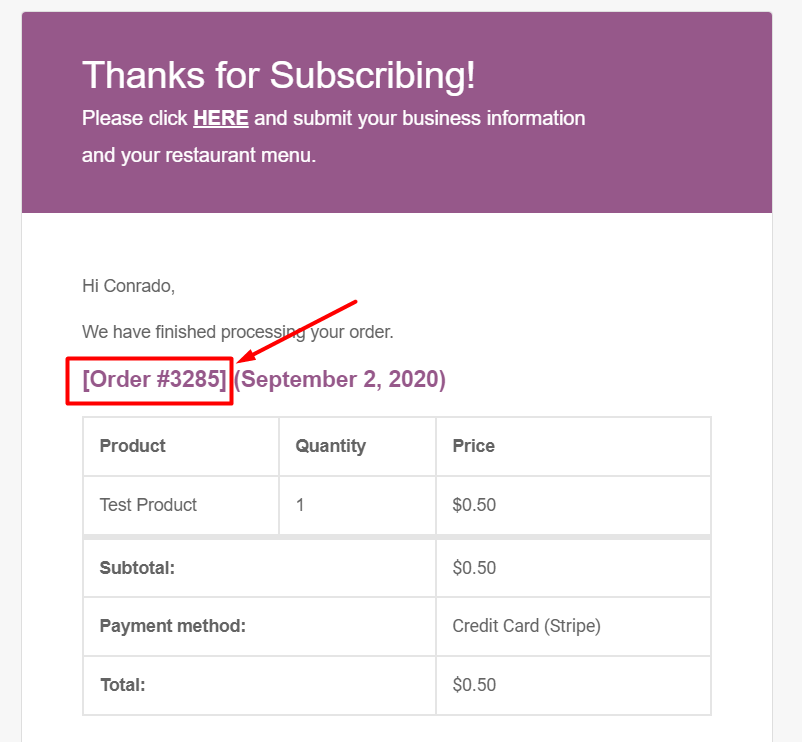
1. When you successfully paid your subscription, you will receive an email that indicates your subscription and order information.
2. At this moment, Restomaps assumed that you are done purchasing in one of our products and you already have the email notification.
3. So now, go back to your email inbox where your payment notification is and find your ORDER #.
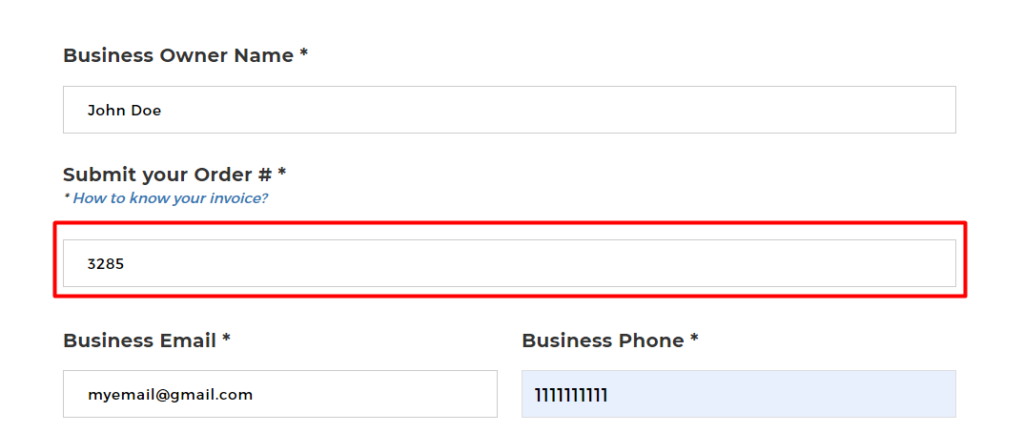
4. Then enter your ORDER # in the form.
NOTE: if you did not received the email notification indicating your ORDER information, don’t hesitate to email here.